
Slots
Basic usage
Set slots to an object of part names. The recipe then returns functions, not a string. Always include the parts you render — on the published 1.5.0 build, slots: {} does not switch into slot mode (it still returns a string).
An implicit base slot is added when you pass a non-empty slots object, and base on the options object becomes that slot's classes.

UnoCSS Variants lets you reuse recipes instead of copying class strings, and keeps every variant typed.
<script setup>
import { uv } from 'unocss-variants';

const card = uv({
  slots: {
    base: 'md:flex bg-background-muted rounded-xl p-8 md:p-0',
    avatar: 'w-24 h-24 md:w-48 md:h-auto md:rounded-none rounded-full mx-auto drop-shadow-lg',
    wrapper: 'flex-1 pt-6 md:p-8 text-center md:text-left space-y-4',
    description: 'text-md font-medium',
    infoWrapper: 'font-medium',
    name: 'text-sm color-sky-500 dark:color-sky-400',
    role: 'text-sm color-slate-700 dark:color-slate-500'
  }
});

const { base, avatar, wrapper, description, infoWrapper, name, role } = card();
</script>

<template>
  <figure :class="base()">
    <img
      src="/images/intro-avatar.png"
      alt=""
      :class="avatar()"
      height="512"
      width="385"
    >
    <div :class="wrapper()">
      <blockquote>
        <p :class="description()">
          UnoCSS Variants lets you reuse recipes instead of copying class strings, and keeps every variant typed.
        </p>
      </blockquote>
      <div :class="infoWrapper()">
        <div :class="name()">
          Ketut Gabler
        </div>
        <div :class="role()">
          Full-stack developer
        </div>
      </div>
    </div>
  </figure>
</template>
Slots with variants
A variant value can be a string (applied to the base slot) or a map of slot names.
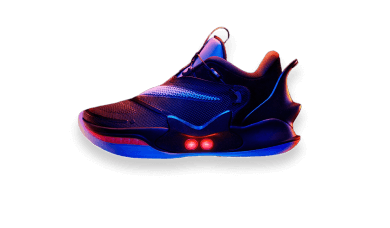
Nike Adapt BB 2.0
const item = uv({
  slots: {
    base: 'flex flex-col mb-4 sm:flex-row p-6 bg-white dark:bg-stone-900 drop-shadow-xl rounded-xl',
    buyButton: 'text-xs sm:text-sm px-4 h-10 rounded-lg shadow-lg uppercase font-semibold tracking-wider color-white active:opacity-80',
    addToBagButton: 'text-xs sm:text-sm px-4 h-10 rounded-lg uppercase font-semibold tracking-wider border-2 active:opacity-80'
    // ...
  },
  variants: {
    color: {
      primary: {
        buyButton: 'bg-blue-500 shadow-blue-500/50',
        addToBagButton: 'color-blue-500 border-blue-500'
      },
      secondary: {
        buyButton: 'bg-purple-500 shadow-purple-500/50',
        addToBagButton: 'color-purple-500 border-purple-500'
      }
    }
  }
});

const classes = item({ color: 'primary' });
classes.buyButton();
Call the recipe again when the selected variant changes (in Vue, wrap that call in computed).
Slots with compound variants
Pass a slot map as class / className on a compound variant to target individual parts.
const alert = uv({
  slots: {
    root: 'rounded py-3 px-5 mb-4',
    title: 'font-bold mb-1',
    message: ''
  },
  variants: {
    variant: {
      outlined: { root: 'border' },
      filled: { root: '' }
    },
    severity: {
      error: '',
      success: ''
    }
  },
  compoundVariants: [
    {
      variant: 'filled',
      severity: 'success',
      class: {
        root: 'bg-green-100 dark:bg-green-800',
        title: 'color-green-900 dark:color-green-50',
        message: 'color-green-700 dark:color-green-200'
      }
    }
    // other combinations...
  ],
  defaultVariants: {
    variant: 'filled',
    severity: 'success'
  }
});
Compound slots
compoundSlots applies the same classes to several slots. Omit extra variant keys to always apply the classes; add keys to apply them only when those variants match.
const pagination = uv({
  slots: {
    base: 'relative flex max-w-fit flex-wrap gap-1',
    item: 'data-[active="true"]:bg-blue-500 data-[active="true"]:color-white',
    prev: '',
    next: ''
  },
  variants: {
    size: {
      xs: {},
      sm: {},
      md: {}
    }
  },
  defaultVariants: {
    size: 'md'
  },
  compoundSlots: [
    {
      slots: ['item', 'prev', 'next'],
      class: [
        'flex',
        'items-center',
        'justify-center',
        'rounded-lg',
        'bg-neutral-200',
        'color-neutral-800'
      ]
    },
    {
      slots: ['item', 'prev', 'next'],
      size: 'md',
      class: 'h-9 w-9 text-base'
    }
  ]
});
You can do the same with per-slot variant maps. Compound slots just avoid repeating the shared list:
const shared = [
  'flex',
  'items-center',
  'justify-center',
  'rounded-lg',
  'bg-neutral-200'
];

const pagination = uv({
  slots: {
    base: 'relative flex max-w-fit flex-wrap gap-1',
    item: [...shared, 'data-[active="true"]:bg-blue-500 data-[active="true"]:color-white'],
    prev: shared,
    next: shared
  },
  variants: {
    size: {
      md: {
        item: 'h-9 w-9 text-base',
        prev: 'h-9 w-9 text-base',
        next: 'h-9 w-9 text-base'
      }
    }
  }
});
Slot-level variant overrides
Each slot function accepts the same props as the root call. Use that to override a variant for one part only (for example a selected tab):
<script setup>
import { uv } from 'unocss-variants';

const card = uv({
  slots: {
    base: 'flex gap-2',
    tab: 'rounded'
  },
  variants: {
    color: {
      primary: {
        tab: 'color-blue-500 dark:color-blue-400'
      },
      secondary: {
        tab: 'color-purple-500 dark:color-purple-400'
      }
    },
    isSelected: {
      true: {
        tab: 'font-bold'
      }
    }
  }
});

const { base, tab } = card({ color: 'primary' });
</script>

<template>
  <div :class="base()">
    <button
      v-for="item in items"
      :key="item.id"
      :class="tab({ isSelected: item.isSelected })"
    >
      {{ item.label }}
    </button>
  </div>
</template>
tab();
// rounded color-blue-500 dark:color-blue-400

tab({ isSelected: true });
// rounded color-blue-500 dark:color-blue-400 font-bold
Pass class / className to the slot function, not to the root call. A root-level class on a slotted recipe is not applied to base() on the published 1.5.0 build:
const slots = card({ class: 'max-w-md' });
slots.base(); // still only "flex gap-2"
slots.base({ class: 'max-w-md' }); // "flex gap-2 max-w-md"